


DigiLocker Signup Download API
Download a specific document from a customer's DigiLocker using the client ID and document URI, after they connect their account in your signup flow.
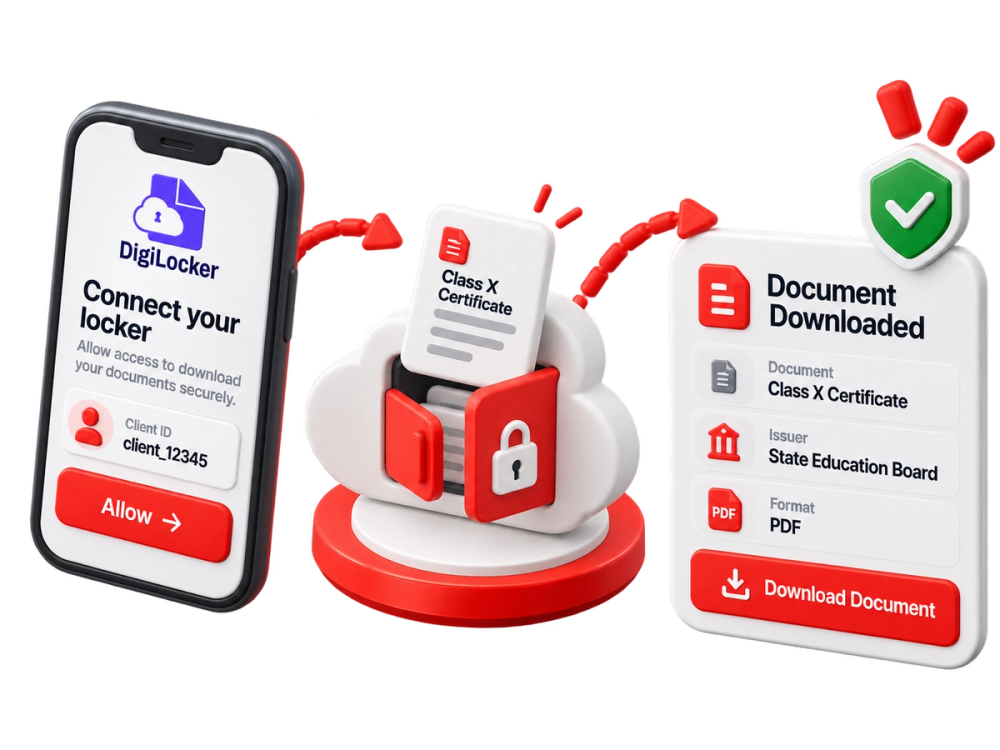
What the DigiLocker Signup Download API does
DigiLocker Signup Download securely downloads one specific document from a customer's DigiLocker account, using the client ID and the document's URI.
Documents in DigiLocker come from the issuing authority, so downloading them avoids relying on photos or uploads the customer provides.
Where teams use the DigiLocker Signup Download API
Fetching an issued document during signup
Replacing manual document uploads with issuer-sourced files
Retrieving a specific certificate a customer has in DigiLocker
Frequently Asked Questions (FAQs)
What do I need to send?
The client ID from the DigiLocker session and the URI of the document to download.
Can I download several documents?
Each call downloads one specific document, identified by its URI.
Start verifying with the DigiLocker Signup Download API
Book a walkthrough and we will show the call, the response and how it fits your onboarding flow.
- One API key for every check
- Verified against official Indian records
- Built for onboarding at scale