


Aadhaar App: Features, Benefits and How to Use It
Explore the Aadhaar App, its key features, secure Aadhaar sharing, biometric services, profile management and everyday uses.
Harsine K USoftware Engineer
On this page 5 sections
Aadhaar is one of the most widely used identity documents in India. From opening bank accounts to accessing government services, Aadhaar plays an important role in everyday activities. To make Aadhaar services more convenient, the Unique Identification Authority of India (UIDAI) has introduced the Aadhaar App.
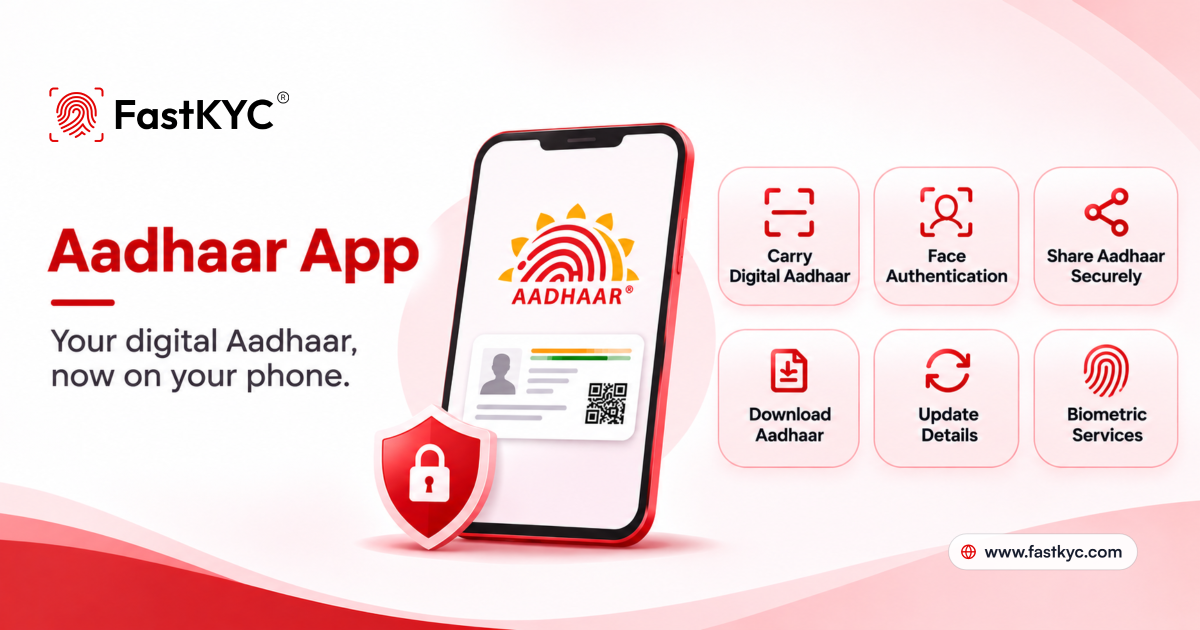
The Aadhaar App allows users to access and manage their Aadhaar details directly from their smartphones. It offers features such as digital identity sharing, biometric locking, QR code verification, multiple profile management and Aadhaar detail updates. These facilities help users manage their identity information without depending on physical documents for every requirement.
What Is the Aadhaar App?
The Aadhaar App is an official mobile application developed by UIDAI to help Aadhaar holders manage their identity information digitally.
Instead of carrying a physical Aadhaar card everywhere, users can access their Aadhaar details through the app. They can also share relevant information with service providers when identity verification is required.
The app provides a convenient way to manage Aadhaar-related services while giving users greater control over their personal information.
How to Download and Set Up the Aadhaar App
Follow these simple steps to get started:
- Download the App: Install the official Aadhaar App from the Google Play Store or Apple App Store.
- Enter Aadhaar Number: Open the app, select your language and enter your 12-digit Aadhaar number.
- Verify Mobile Number: Select the SIM linked to your Aadhaar and complete SMS verification.
- Face Authentication: Follow the on-screen instructions to complete face verification.
- Set PIN: Create a six-digit PIN to securely access your Aadhaar profile.
Once registration is complete, you can access your Aadhaar details and other available services through the app.
Key Features of the Aadhaar App
The Aadhaar App offers several useful features that make managing and sharing identity information easier.
1. Digital Aadhaar Access
Users can access their Aadhaar information directly through their smartphones, reducing the need to carry physical copies. The app provides a convenient way to view identity details whenever required.
Users can also download their e-Aadhaar through the available service. This makes it easier to access a digital copy when a document is needed for verification or other purposes.
2. Share Selective Aadhaar Details Securely
The Aadhaar App allows users to share only the specific Aadhaar details required for identity verification instead of sharing their complete Aadhaar information. Users can select relevant details based on the purpose of verification and securely share them with service providers. This helps protect personal information, reduces unnecessary data sharing, and gives users greater control over their Aadhaar details.
3. Biometric Lock and Unlock
Aadhaar is linked to biometric information such as fingerprints and iris scans. To prevent unauthorized biometric authentication, users can lock their biometrics through the app.
Whenever biometric authentication is required, users can temporarily unlock their biometrics and lock them again after use. This provides an additional layer of security for Aadhaar-linked biometric authentication.
4. Update Mobile Number and Address
The app provides facilities to update certain Aadhaar details, including mobile number and address. Users can initiate supported update requests directly through the application.
For address updates, users can provide the required supporting documents and complete the prescribed verification process. Mobile number updates also involve the required OTP and face authentication steps.
Once a request is submitted, users can track its status through the app.
5. Free Email ID Update
UIDAI has introduced a facility to add or update an email address directly through the Aadhaar App. This makes it easier to keep their Aadhaar contact information up to date.
The email update service is free through the app from 1 July 2026 to 31 December 2026. Linking an email address with Aadhaar also helps users receive email notifications when Aadhaar authentication requests are made.
6. QR Code-Based Verification
The Aadhaar App supports QR code-based identity verification, making it easier to confirm Aadhaar details digitally.
Users can display their Aadhaar QR code through the app, which can then be scanned by a verification entity. The associated information can be checked without manually entering Aadhaar details.
This provides a convenient way to verify identity while reducing dependence on physical documents.
7. Multiple Aadhaar Profiles on One Device
The Aadhaar App allows users to manage up to five Aadhaar profiles on a single smartphone. This is particularly useful for families who want to access their Aadhaar details through one device.
Each profile is added using the respective individual's Aadhaar number and the required authentication process. Parents or guardians can also add a minor's profile when the prescribed eligibility and verification conditions are met.
8. Check Aadhaar Authentication History
Users can check their Aadhaar authentication history through the app. This helps them review authentication activities associated with their Aadhaar number.
By checking the available records, users can keep track of authentication requests and identify activities they do not recognize.
How Is the Aadhaar App Used in Everyday Life?
The Aadhaar App can simplify identity verification across several everyday situations.
- Hotel Check-in: Guests can share their Aadhaar details digitally with hotels that support Aadhaar-based verification, making the identity verification process more convenient.
- Banking Services: Customers can use Aadhaar details for identity verification when accessing banking services that support Aadhaar verification.
- Government Services: Aadhaar details can be used to establish identity while accessing eligible government schemes and services.
- SIM Card Verification: Aadhaar-based verification may be used during mobile connection registration or other telecom-related processes where supported.
- Employee Verification: Organizations can use supported Aadhaar verification methods to verify employee identity during onboarding.
- Visitor Management: Businesses and institutions can use Aadhaar-based verification to confirm visitor identities, subject to applicable requirements.
- Digital Service Registration: Users can share their Aadhaar details when registering for services that require identity proof.
Benefits of Using the Aadhaar App
Some of the major benefits include:
- Convenience: Access Aadhaar services directly from a smartphone.
- Digital Sharing: Share Aadhaar information without always carrying physical documents.
- Better Privacy: Share relevant Aadhaar details based on verification requirements.
- Improved Security: Use biometric locking and app PIN protection.
- Easy Updates: Update supported Aadhaar details through the app.
- Easy Access: Manage up to five Aadhaar profiles on one device.
- Simplified Verification: Use digital sharing and QR code-based verification where supported.