

FASTag Verification: Lookup, Status and Toll History
FASTag verification helps businesses check tag status, vehicle details and recent toll history. Explore available data, use cases and limitations.
Harsine K USoftware Engineer
On this page 5 sections
FASTag verification helps businesses check tag details associated with a vehicle and review its recent toll-plaza activity. From checking tag status to comparing toll records with reported journeys, this information can support fleet management, logistics and vehicle-related verification. Here's how FASTag works, what verification data provides, and how businesses can use it.
What Is FASTag?
FASTag is an electronic toll collection system in India that uses Radio Frequency Identification (RFID) technology to enable cashless toll payments. It is typically attached to a vehicle's windscreen and linked to an issuing bank and an associated payment account or arrangement.
FASTag operates through the National Electronic Toll Collection (NETC) ecosystem, with the National Payments Corporation of India (NPCI) providing the underlying payment infrastructure.
How Does FASTag Work?
When a vehicle approaches an enabled toll plaza, an RFID reader detects its FASTag. The toll system validates the tag and processes the toll transaction through the NETC ecosystem.
The process generally involves four steps:
- Tag detection: An RFID reader scans the FASTag attached to the vehicle.
- Tag validation: The system checks the tag and its associated information.
- Toll deduction: The toll transaction is processed through the linked payment arrangement.
- Passage recording: The system records transaction details, which may include the timestamp, toll-plaza name and vehicle information.
The resulting records can help users review toll transactions and recorded vehicle passages, subject to the information available from the relevant source.
What Is FASTag Verification?
FASTag verification involves checking available tag information or toll-passage records associated with a vehicle registration number. Businesses can use these checks to review a vehicle's tag status, identify its issuing bank or examine recent recorded toll activity.
FastKYC provides two checks for these requirements:
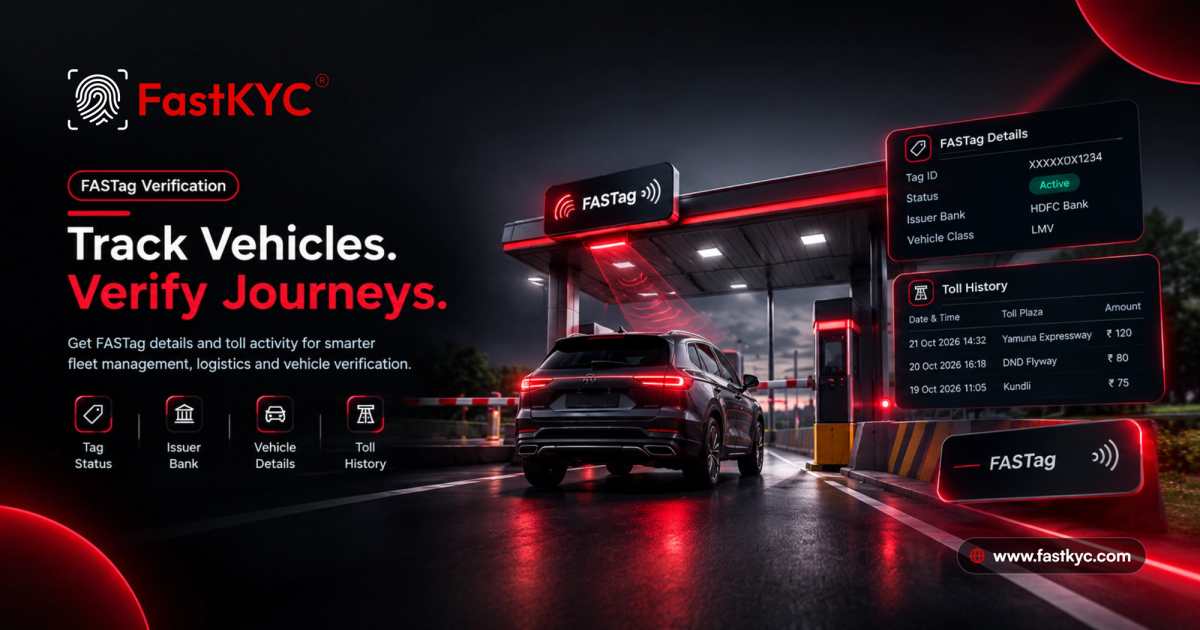
- FASTag Lookup: Retrieves available information about a vehicle's FASTag.
- FASTag History: Retrieves available records of recent toll-plaza passages associated with a vehicle.
Lookup focuses on the tag record, while History focuses on recorded toll activity. Together, they provide complementary information for vehicle-related checks.
What Information Does FASTag Verification Provide?
FASTag Lookup
FASTag Lookup can return details such as:
- Tag ID: Identifier associated with the FASTag record.
- Vehicle registration number: Registration number linked to the tag.
- Tag status: Reported status, such as Active.
- Vehicle class: Vehicle category associated with the tag.
- Issue date: Recorded date of tag issuance.
- Issuer bank: Bank associated with the FASTag.
The availability of records for expired, replaced or previously issued tags depends on the data source.
FASTag History
FASTag History provides available toll-passage records associated with a vehicle. FastKYC's history check is intended to cover approximately 72 hours, subject to source availability.
The response can include:
- Reader read time: Date and time when the toll-plaza reader recorded the passage.
- Toll-plaza name: Name of the toll plaza.
- Toll-plaza geocode: Available geographic information for the plaza.
- Lane direction: Recorded direction associated with the lane.
- Vehicle class: Vehicle category in the record.
- Vehicle registration number: Registration number associated with the passage.
- Sequence number: Identifier associated with the recorded entry.
Why Does FASTag Verification Matter for Businesses?
FASTag information can support several business workflows:
- Fleet and logistics management: Compare recorded toll passages with planned routes and reported journeys.
- Trip expense reconciliation: Review toll records when checking travel claims and fleet operating expenses.
- Insurance investigations: Use available toll records as supporting information when reviewing a reported journey or incident.
- Vehicle financing: Include tag details as an additional data point in broader vehicle verification.
- Rental and fleet handovers: Review available tag information and recent toll activity when a vehicle is returned.
- Unexpected toll deductions: Check available plaza and timestamp details when investigating an unfamiliar transaction.
- Transport & Logistics
- Toll History
- Vehicle Data Verification
- Fleet Management